
Decker Layout and Parameters
What the World (minus Henrik 😁) Wanted
23.4.2020
Marc Erich Latoschik
Chair for Human-Computer Interaction

What is Computer Graphics?

Computer Graphics (CG)

The science of the digital (1) creation, (2) processing, and (3) synthesis of visual content.

Topics

  1. Data representation
  2. Processing and animation
  3. Rendering and display
  4. Interaction

Note

  • Includes interactivity and non-interactivity.
  • Encompasses 2D and 3D.

Plain Page, no starting H2

This is some text which should span the whole line of text to fill-up two lines of text to really see what is going on when changing line spacings etc.

  1. An ordered list
  • Followed by some list item which also should be long enough to trigger a line break to see line spacings.
Description
This is a description

H2

Text would be good in between otherwise list and enumeration are on one line!

  1. Followed by some enumeration and then an image

autodesk-3ds-ui-1920x15.jpg
Long, short image (1920x15) as figure.

Or some more text

autodesk-3ds-ui-1920x15.jpg
  1. Followed by an enumeration

Plain Page, no starting H2

  1. An ordered list
    • Followed by some list item which also should be long enough to trigger a line break to see line spacings.
    • and another one
  2. Second ordered list item
  • An li in an ul to see how it works the other way around
    1. An li in a sub ol.
    2. A second li in a sub ol.
  • And the closing li of the ul

Plain Page, starting H2 on top

This is some text which should span the whole line of text to fill-up two lines of text to really see what is going on when changing line spacings etc.

  • Followed by some list item which also should be long enough to trigger a line break to see line spacings.

Text would be good in between otherwise list and enumeration are on one line!

  1. Followed by some enumeration and then an image
autodesk-3ds-ui-1920x15.jpg
Long, short image (1920x15) as figure.

Or some more text

autodesk-3ds-ui-1920x15.jpg
  1. Followed by an enumeration

Plain Page, centered

  • First Item
  • Second item is a bit longer to see what happens
  1. First ordered item
  2. second ordered item a bit longer to see what happens
  • First uo Item
    1. First ordered item nested
  1. First ordered item
    • First uo item nested

Column Page, starting top column H2

This is some text which should span the whole line of text to fill-up two lines of text to really see what is going on when changing line spacings etc.

  • Followed by some list item which also should be long enough to trigger a line break to see line spacings.

Text would be good in between otherwise list and enumeration are on one line!

  1. Followed by some enumeration and then an image
autodesk-3ds-ui-1920x15.jpg
Long,short image (1920x15) as figure.

Or some more text

autodesk-3ds-ui-1920x15.jpg
  1. Followed by an enumeration

Column Page, starting top column H2

This is some text which should span the whole line of text to fill-up two lines of text to really see what is going on when changing line spacings etc.

  • Followed by some list item which also should be long enough to trigger a line break to see line spacings.

Text would be good in between otherwise list and enumeration are on one line!

  1. Followed by some enumeration and then an image
autodesk-3ds-ui-1920x15.jpg
Long, short image (1920x15) as figure.

Or some more text

autodesk-3ds-ui-1920x15.jpg
  1. Followed by an enumeration

Column Page, 2col, multiple elements

This should be vertically

  1. alligned
    • With right column block
autodesk-3ds-ui-1920x15.jpg
  • Then an image without caption above
    1. With some enumeration

This should be vertically

  1. alligned
    • With right column block

autodesk-3ds-ui-1920x15.jpg
Title

This should be vertically

  1. alligned
    • With left column block
autodesk-3ds-ui-1920x15.jpg
  • Then an image without caption above
    1. With some enumeration

This should be vertically

  1. alligned
    • With left column block

autodesk-3ds-ui-1920x15.jpg
Title

Plain page video

Videos mit Caption default aligned

Local Video mit caption

Plain page video

Videos mit Caption aligned centered

Youtube Video mit caption
Local Video mit caption

Column Page, 2col, video

Videos mit Caption right aligned

Youtube Video mit caption
Local Video mit caption

Videos mit Caption left aligned

Youtube Video mit caption
Local Video mit caption

Column Page, 2col, videos

Videos no Caption right aligned

Videos no Caption left aligned

Column Page, 2col, multiple elements, split and join

Start H2 block

This should be vertically

  1. alligned
    • With right column block
autodesk-3ds-ui-1920x15.jpg
  • Then an image without caption above
    1. With some enumeration

This should be vertically

  1. alligned
    • With left column block
autodesk-3ds-ui-1920x15.jpg
  • Then an image without caption above
    1. With some enumeration

Join H2 block

Column Page, top+2col+bottom, multiple elements

This is some text which should span the whole line of text to fill-up two lines of text to really see what is going on when changing line spacings etc.

This should be vertically

  1. alligned
    • With right column block
autodesk-3ds-ui-1920x15.jpg
  • Then an image without caption above
    1. With some enumeration

autodesk-3ds-ui-1920x15.jpg
Title

This should be vertically

  1. alligned
    • With left column block
autodesk-3ds-ui-1920x15.jpg
  • Then an image without caption above
    1. With some enumeration

autodesk-3ds-ui-1920x15.jpg
Title

This is some text which should span the whole line of text to fill-up two lines of text to really see what is going on when changing line spacings etc.

Column Page, top+3col+bottom

This one is a longer test which is printed on top of each of the other columns to show how the whole thing is layed-out.

Left

autodesk-3ds-ui-1920x15.jpg
Title

Some text and then

  • an item follows

Block

autodesk-3ds-ui-1920x15.jpg
Title

Center

autodesk-3ds-ui-1920x15.jpg
Title

Some text and then

  • an item follows

An end H2 Block

  1. With enumeration
  • and item at the end

Block

autodesk-3ds-ui-1920x15.jpg
Title

Plain Page, no starting H2, Images side by side

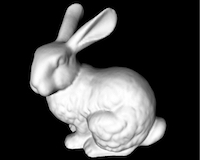
example-stanford-bunny-200x160.jpgTestexample-stanford-bunny-200x160.jpgNoch ein Testexample-stanford-bunny-200x160.jpgTest

example-stanford-bunny-200x160.jpgexample-stanford-bunny-200x160.jpgexample-stanford-bunny-200x160.jpg

Plain Page, starting H2, Images side by side

H2

example-stanford-bunny-200x160.jpgTestexample-stanford-bunny-200x160.jpgNoch ein Testexample-stanford-bunny-200x160.jpgTest

example-stanford-bunny-200x160.jpgexample-stanford-bunny-200x160.jpgexample-stanford-bunny-200x160.jpg

Column Page, Images side by side

example-stanford-bunny-200x160.jpgTestexample-stanford-bunny-200x160.jpgNoch ein Testexample-stanford-bunny-200x160.jpgTest

example-stanford-bunny-200x160.jpgexample-stanford-bunny-200x160.jpgexample-stanford-bunny-200x160.jpg

Plain Page, no starting H2, Images centered

example-stanford-bunny-200x160.jpgTestexample-stanford-bunny-200x160.jpgNoch ein Testexample-stanford-bunny-200x160.jpgTest

example-stanford-bunny-200x160.jpgexample-stanford-bunny-200x160.jpgexample-stanford-bunny-200x160.jpg

Plain Page, starting H2, Images centered

H2

example-stanford-bunny-200x160.jpgTestexample-stanford-bunny-200x160.jpgNoch ein Testexample-stanford-bunny-200x160.jpgTest

example-stanford-bunny-200x160.jpgexample-stanford-bunny-200x160.jpgexample-stanford-bunny-200x160.jpg

Column Page, Images side by side

example-stanford-bunny-200x160.jpgTestexample-stanford-bunny-200x160.jpgNoch ein Testexample-stanford-bunny-200x160.jpgTest

example-stanford-bunny-200x160.jpgexample-stanford-bunny-200x160.jpgexample-stanford-bunny-200x160.jpg

Single page, no columns, no H2

Assignment List
Week Topic Reading Book
1 Course Introduction Chapt. 1 Physics
2 Inertia, Equilibrium, Kinematics Chapt. 2, 3, 4 Physics
3 Vectors, Momentum, Energy Chapt. 5-8 Physics

Single page, no columns, no H2, centered

Assignment List
Week Topic Reading Book
1 Course Introduction Chapt. 1 Physics
2 Inertia, Equilibrium, Kinematics Chapt. 2, 3, 4 Physics
3 Vectors, Momentum, Energy Chapt. 5-8 Physics

Single page, no columns, top H2

Assignment List
Week Topic Reading Book
1 Course Introduction Chapt. 1 Physics
2 Inertia, Equilibrium, Kinematics Chapt. 2, 3, 4 Physics
3 Vectors, Momentum, Energy Chapt. 5-8 Physics

Single page, no columns, top H2

H2 is centered

Assignment List
Week Topic Reading Book
1 Course Introduction Chapt. 1 Physics
2 Inertia, Equilibrium, Kinematics Chapt. 2, 3, 4 Physics
3 Vectors, Momentum, Energy Chapt. 5-8 Physics