Configuration Options
A Guide to Creating Memorable Presentations
September 22, 2025
Samantha Monty
Chair for Human-Computer Interaction, University of Würzburg

Decker YAML

Customize the presentation with meta-data variables in YAML format. The file decker.yaml is required in every project.

Meta-Data Variables

Define meta-data variables as follows:

template:
    title-teaser: /images/teaser.png

YAML Locations

Meta-data can also be specified in meta-data files specified in the meta-data, and at the top of a markdown file:

---
author: Samantha Monty
title: Configuration Options
template:
  title-teaser: /images/teaser.png
---

Variables A-D

A

affiliation

Define the affiliation of the author:

affiliation: "Julius-Maximilians-Universität Würzburg"

align-global

default horizontal alignment for various slide elements:

align-global: center | right | left
author

author name displayed underneath the date on the title slide:

author: "Samantha Monty"

autoSlide

number of milliseconds between automatically moving to the next slide (disabled when set to 0):

autoslide: 5000 - continues after 5 seconds
autoSlideStoppable

stop auto-sliding after user input

autoSlideStoppable: true | false

B

backgroundTransition

transition style for full page slide backgrounds:

backgroundTransition: none|fade|slide|convex|concave|zoom
bibliography

reference a .bib file for citations in the presentation:

bibliography: bibliography.bib
border-decoration-*

define custom CSS properties for the border of h2 highlight blocks such as .question:

border-decoration-width: 20px
border-decoration-padding: 10px
border-decoration-style: solid

C

center

move content vertically to the center of a slide:

center: true | false
chalkboard

define the .json file where chalkboard notes will be saved to and loaded from:

chalkboard: "chalkboard-file.json"
chart

specify if charts can be used:

chart: true | false
checkOverflow

mark overflowing slides with a red border:

checkOverflow true | false
controls

enable the navigation arrows in the bottom right:

controls true | false

csl

define a .csl (Citation Style Language) file used for citations:

csl: "chicago-author-date.csl

D

date

display a date on the title slide. ("today" displays the date on which the HTML file was created):

date: "11.11.2020"

date-meta

add a date to the HTML document header (does not set a date on the title slide):

date-meta: "11.11.2020"
defaultTiming

display a timer in the speaker view with seconds for each slide:

defaultTiming: 3000
dictionary allow a language dictionary to translate UI elements (see Dictionary)

Variables E-I

E

embedded

flag if the presentation is running in embedded mode (contained within a limited portion of the screen):

embedded: true | false
exclude-directories

exclude directories that decker should not consider for watching and compiling:

exclude-directories:
- dirA
- dirB

or

exclude-directories: [dirA, dirB]

F

feedback

allow the audience to annotate slides with questions. See Decker Quizzes.

font-size-base

set font size in the whole presentation:

font-size-base: 30px
fragmentInURL

Link to a specific fragment on a slide (see Fragments):

*fragmentInURL:true | false`

G

generate-ids

generate random, unique identifiers for each slide:

generate-ids: true | false

H

hash

add the current slide number to the URL hash so that reloading the page or copying the URL will return you to the same slide:

hash: true | false
height

set the height of a slide deck:

height: 1080
help

display a help overlay on ? press:

help: true | false
hideAddressBar

hides the address bar on mobile devices:

hideAddressBar: true | false
hideCursorTime

time until cursor is hidden (in ms):

hideCursorTime: 3000
hideInactiveCursor

hide inactive cursor:

hideInactiveCursor: true | false
highlightjs

indicate the code highlighting package to use:

highlightjs: "atom-one-light"|"atom-one-dark"|"solarized-light"|"solarized-dark"|"xcode"|"zenburn"

history

add entries to the browser’s history for every slide visited:

history: true | false

Variables J-N

J

jupyter

use an integrated Jupyter notebook:

jupyter:
kernelspec:
display_name: Haskell
language: haskell
name: haskell
language_info:
codemirror_mode: ihaskell
file_extension: .hs
name: haskell
nbformat: 4.0
nbformat_minor: 2.

K

keyboard

allow the use of keyboard shortcuts to navigate the presentation (see Keyboard Shortcuts):

keyboard: true | false
keywords

enter keywords to display in the HTML document header meta-data:

keywords: "HCI, VR, eLearning"

L

lang

change the language of HTML content by setting to the corrosponding ISO Language Code:

lang: "de"
loop

begin anew after the last slide:

loop: true | false

M

margin

set the border margin (defaults to 0)

margin: 20
margin-columns

set the column spacing:

margin-columns: 10
mathMacros

define custom LaTeX macros (works only in decker.yaml and NOT in a single slide deck):

mathMacros: |
{
R: "{{\\mathrm{{I}\\kern-.15em{R}}}}",
laplace: "{\\Delta}",
sig: "{\\Sigma}"
}

The "|" signifies the YAML text block syntax.
maxScale

bounds for largest possible scale to apply to content:

maxScale: 0.5
menu

display the menu:

menu: true | false
meta-data

specify additional yaml meta-data files either in decker.yaml or in a Markdown document header:

meta-data: - test.yaml - test2.yaml

mouseWheel

enable slide navigation via mouse wheel:

mouseWheel: true | false

N

navigationMode See the Reveal.js documentation

Variables O-S

O

overview

Present an overview of all slides. See Overview.

P

parallaxBackground

specifiy a background image and optionally an amount to move the image on slide change:

parallaxBackgroundImage: "image/image.png"
parallaxBackgroundHorizontal: 100
parallaxBackgroundVertical: 100
parallaxBackgroundSize: "2100px 900px"

publish Publish the entire project to a remote location. See Publishing.
previewLinks

open links in an iframe preview overlay:

previewLinks: true | false
progress

display a progress bar at the bottom of the presentation:

progress: true | false

R

rtl

flip the progress bar and the controls, so that the UI has a left to right layout (defaults to false)

rtl: true | false

S

short-links URI scheme based URL shortener with simple templating. See Short Links.
showNotes

flag if speaker notes should be visible to all viewers:

showNotes: true | false
shuffle

randomize the slide order: shuffle: true | false

slideNumber

display the current slide number

slideNumber:* true | false
spacing-vertical-base

define the basic vertical spacing between elements as a number

spacing-vertical-base:* 10
static-resource-dirs

Define additional directories that will be copied to public even if no file is included in/required by the slide-deck

static-resource-dirs:
- dirA
- dirB
stretch-media

whether to include the stretch-media.css file:

stretch-media:* true | false
style

a list of CSS styles that are inserted into the HTML header:

style:
- 'h2 { backgroundColor: #f00; }'
subtitle

displays a set string eg. a comprehensive guide underneath the title on the title slide:

subtitle:* "a comprehensive guide"

Variables T-V

T

template

csl
template:
  favicon:
  base-css: basefile.css
  css:
    - file1.css
    - file2.css
  include-js:
    - file1.js
    - file2.js
  title-page:
    teaser-img: include/teaser.png
    banner: include/banner.png
    affiliation-logo: include/affiliation.png

template.base-css

csl The first CSS file that is loaded by the template (defaults to '')

template.css

csl A list of additional CSS files. base-css does not need to be defined to use css

template.include-js

csl A list of Javascript files that are included in the slide deck before Reveal.js is initialized (defaults to [])

template.title-page

csl
  • teaser-img: an image that is placed below the title line on the title slide (defaults to '')
  • banner: a header image on the title slide (defaults to '')
  • affiliation-logo: An image that is placed above the affiliation information on the title slide (defaults to '')

title

csl displays a set string eg. The Decker Experience on a added a title slide at the start of a presentation

totalTime

csl

Divide the set amount of time by the slide count and present a timer in the speaker view with the average duration to spend on each slide (defaults to ``)

touch

csl Use swipe gestures to navigate slides (defaults no "true"). Must be defined in the corresponding .yaml file.

transition

csl

change the slide transitions (defaults no none)

Transitions Video Example
none: Switch backgrounds instantly
fade: Cross fade
slide: Slide between backgrounds
convex: Slide at a convex angle
concave: Slide at a concave angle
zoom: Scale the incoming slide up so it grows in from the center of the screen

transitionSpeed

csl change the speed of a slide transition (defaults to default). Can be set to slow, fast or default

V

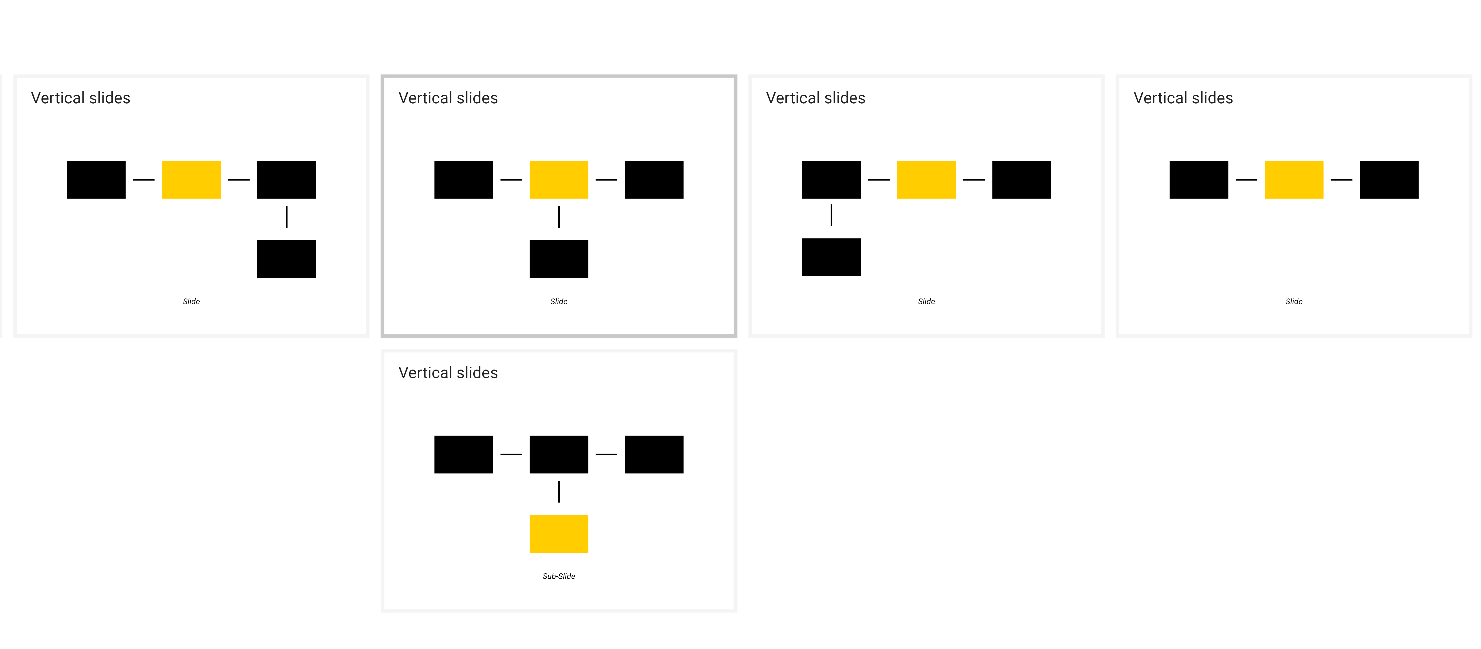
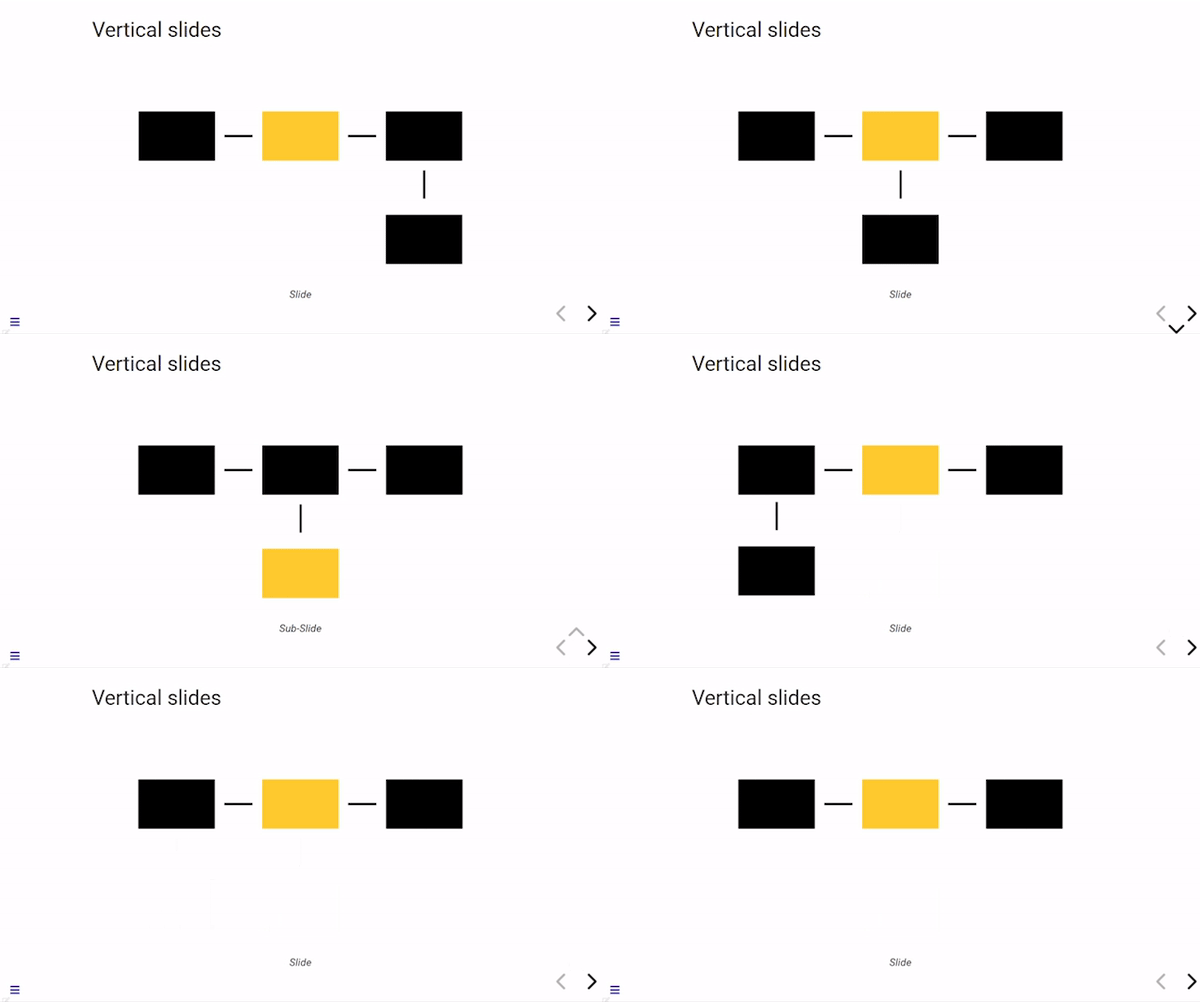
vertical-slides

csl

allow vertical slides (defaults to true)
viewDistance

csl

Number of slides away from the current that are visible

viewDistance: 3

Variables W-Z

W

whiteboard

csl

Define CSS for the whiteboard

  • whiteboard-active-color
  • whiteboard-background-color
  • whiteboard-icon-size
  • whiteboard-inactive-color

width

csl

Define a width for the slide deck

width: 1920

write-back

csl

The write-back option enables auto-formatting of markdown source files. This works via pandoc writing back a formatted markdown document to the source file.

write-back:
  enable: true | false
  line-columns: 80
  line-wrap: auto|none|preserve

Reveal Variables

Decker uses a modified version of the standard template for Reveal.js slide sets. Additional meta-data options can be found here: Reveal.js.